Short answer: make an Instagram story 9:16, at 1080 × 1920 or 1440 × 2560 pixels. Meta recommends 9:16 for stories, and its ads guide recommends 1440 × 2560 for story ads. 1080 × 1920 is the same shape and what most phones and design tools produce. Keep text and logos out of the top 14%, the bottom 35% and 6% of each side, where Instagram draws its own buttons.
That bottom margin is much bigger than most guides say. Below: the full spec for organic stories and story ads, the safe zone in pixels at both sizes, what happens to a file that isn't 9:16, and how to make one story per product, event or person from a spreadsheet.
Instagram story dimensions at a glance
| Story photo | Story video | Story ad, image | Story ad, video | |
|---|---|---|---|---|
| Shape | 9:16 recommended | 9:16 recommended | 9:16, 1% tolerance | 9:16 |
| Size | 1080 × 1920 is typical | Up to 1920 px wide | 1440 × 2560 recommended | 1440 × 2560 recommended |
| Minimum | Not stated | Not stated | 500 px wide | 250 px wide |
| Formats | JPEG | MP4 or MOV | JPG or PNG | MP4, MOV or GIF |
| Max file size | 8 MB | 100 MB | 30 MB | 4 GB |
| Length | Not stated | 3 to 60 seconds | Shown 5 to 16 seconds | 1 second to 60 minutes |
The two story columns come from Meta's developer reference for publishing stories through the Instagram API, which is what scheduling tools use. The two ad columns come from the Instagram Stories pages of Meta's ads guide. Both were checked in November 2026. Instagram's Help Center pages on stories did not load for us, so the limits for a story posted by hand in the app are not in this table.
1080 × 1920 or 1440 × 2560?
Both are 9:16, so both fill a phone screen the same way. The difference is detail:
- 1080 × 1920 is full HD turned on its side, and the default story size in nearly every design tool, including the Story / Reel / TikTok preset in the bannx size picker. It is more than twice the 500 px minimum for an image ad.
- 1440 × 2560 is what Meta's ads guide recommends for story ads, on Instagram and on Facebook. It looks a little sharper on large, high-density phones.
For organic stories, 1080 × 1920 is plenty. For ads, export at 1440 × 2560 when your source images are sharp enough to fill it. Enlarging a soft 1080 photo adds file size, not detail.
Getting both from one design is easy because the shape is the same. In bannx, a render with "size": "1440x2560" and "fit": "scale" enlarges a 1080 × 1920 template to the ad size with nothing letterboxed, since the two boxes have the same ratio.
Instagram story safe zone
Instagram draws over the top and bottom of every story. At the top sit the progress bars, the profile picture and the account name. At the bottom sits the reply bar, or on an ad, the call to action. Anything you put there may be covered.
Meta's ads guide gives the safe zone for Instagram story ads as percentages: consider leaving roughly 14% of the top, 35% of the bottom and 6% on each side free of text, logos and other key elements. The Facebook Stories pages of the same guide use the same numbers, so one file can run on both apps.
In pixels (our arithmetic on Meta's percentages, rounded):
| Margin | On 1080 × 1920 | On 1440 × 2560 |
|---|---|---|
| Top, 14% | 269 px | 358 px |
| Bottom, 35% | 672 px | 896 px |
| Each side, 6% | 65 px | 86 px |
| Safe box left over | 950 × 979 px | 1268 × 1306 px |
| Box starts at | 65 px in, 269 px down | 86 px in, 358 px down |
The safe box is close to a square, sitting in the upper middle of the frame. That is where the headline, the price, the date and the logo go.
The 250 px rule is out of date
Many guides still say to leave 250 pixels at the top and bottom of a story. Meta's current ads guide uses percentages, and its bottom margin is far larger: 35% is 672 px on a 1080 × 1920 story, not 250. A price placed 300 px from the bottom passes the old rule and still lands inside the area Meta asks you to keep clear on an ad.
Organic stories
Meta publishes no separate safe zone for organic stories. They have a slim reply bar at the bottom instead of a call-to-action button, so the 35% band is more than an organic story strictly needs. Our rule, which is our judgement and not Meta's:
- Anything that must be read goes inside Meta's box: headline, offer, date, logo.
- Supporting text that survives being partly covered can sit lower.
- Backgrounds and photos run to every edge, so the frame never looks empty.
- Stickers count. A poll, link or countdown sticker covers part of your design, so place it in the draft and check what it hides before you post.
What if your file isn't 9:16?
Meta's API reference says it recommends 9:16 for story photos and videos "to avoid cropping or blank space". In practice that means one of two things happens to a square or landscape file: Instagram crops it to fill the screen, or shows it smaller with a background around it.
If you are repurposing a feed post (1080 × 1080 or 1080 × 1350, see the Instagram post size guide), rebuild it at 9:16 instead. Move the headline into the safe box, let the background fill the extra height, and keep the photo large. A story made at the right size looks native. A shrunken post with bars above and below looks like an afterthought.
Story video: length and format
For video stories published through the API, Meta's reference gives MP4 or MOV, 3 to 60 seconds, up to 100 MB and at most 1920 px wide. Story video ads take MP4, MOV or GIF from 1 second to 60 minutes, up to 4 GB, at 1440 × 2560.
The same layout rules apply as for a still: 9:16, with captions and text inside the safe box. Burned-in captions belong above the bottom 35%, not at the very bottom where most video editors put them by default.
Story image ads, for their part, are shown for between 5 and 16 seconds or until the viewer swipes away, per the ads guide. Put the message in the first glance.
Making stories at scale with bannx
A shop with 200 products, a conference with 40 speakers or a team announcing every new hire doesn't need one story. It needs a story per row of a spreadsheet, in one consistent layout.
In bannx you design the story once as a template. The parts that change are variables, such as headline, price and photo, and every row of your sheet fills them in:
id,headline,price,photo,_size
linen-shirt,Linen shirt,48,https://example.com/p/linen.jpg,story
linen-shirt-post,Linen shirt,48,https://example.com/p/linen.jpg,instagram-portrait
canvas-tote,Canvas tote,32,https://example.com/p/tote.jpg,story
The id column names each file. The optional _size column picks a size preset per row, so one run can produce a story and a matching 4:5 feed post for the same product. Upload the CSV in the template's Bulk tab and you get back a ZIP with one file per row, or send the rows to the bulk API, up to 500 per request. Bulk runs (the Bulk tab and the bulk API) are on paid plans. The spreadsheet guide covers the column rules.
A few more things that help with stories:
- Render at other sizes.
sizeandfitrender one template at other sizes without changing it. With reflow, layers pinned with constraints keep their margins to the new edges, so a square design can become a story with the headline still clear of the bottom band. See rendering at another size. - Multi-frame stories. A still template with several pages renders every page as its own image with
pages: "all", so a three-frame story sequence comes out as three files and a ZIP. - Video stories. An animated template renders as MP4, WebM or GIF. The video generation API covers rendering clips from your own data.
- Brand consistency. Extract your colors, fonts and logo from your website into the brand library so every story matches.
An image costs 1 credit and a video clip 5. Every account gets 100 free renders a month. Running the same campaign across every ad size is what bulk ads does.
Start from a template
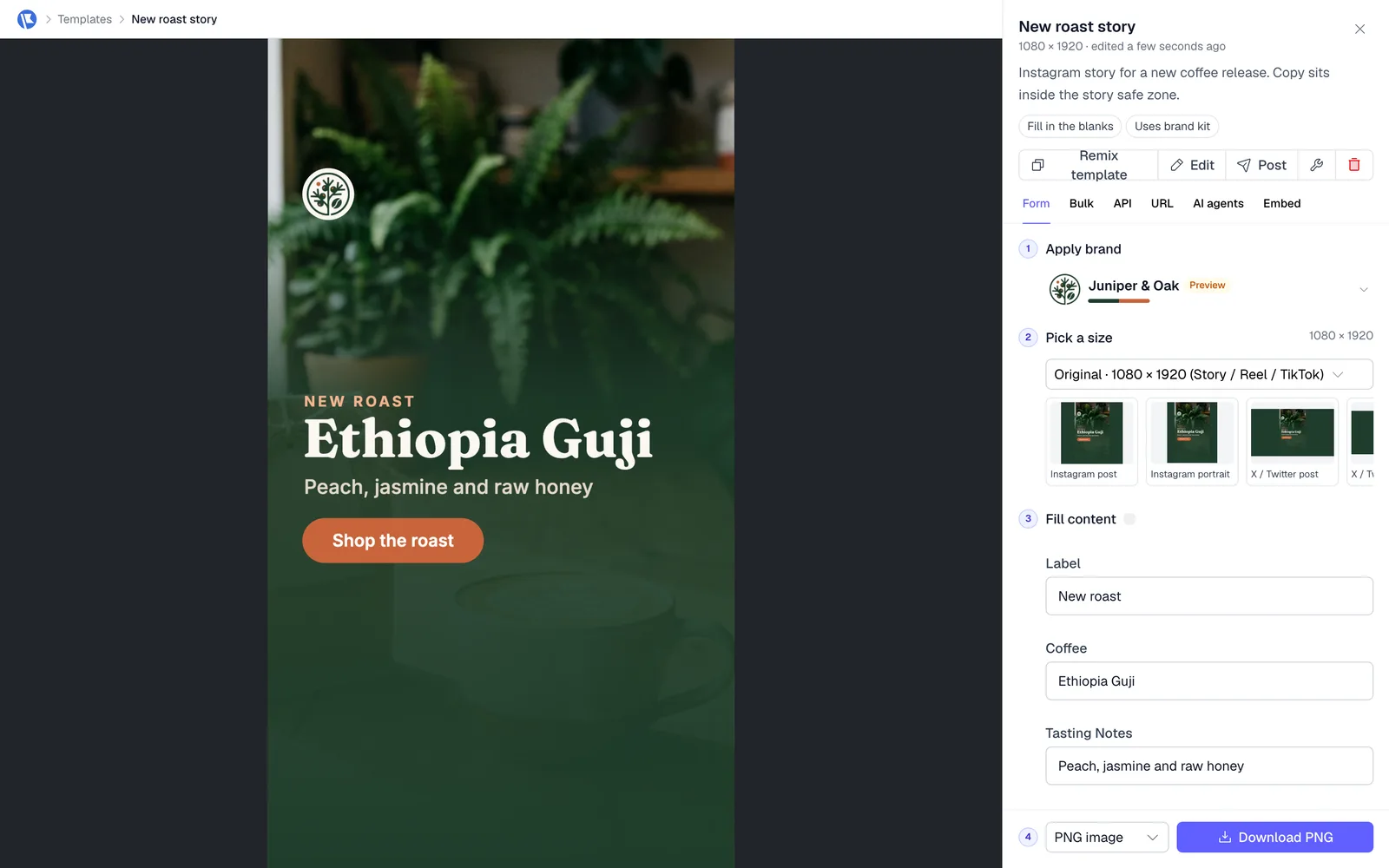
Templates are free to open and edit, with no account and no watermark, and download as PNG or PDF. The Instagram story template is built at 1080 × 1920 with every word inside the safe zone above: a headline with a highlighted phrase, an offer sticker, a "Tap the link" hint and your photo in an arch at the bottom. You can also open a design such as the Black Friday product drop, choose Story / Reel / TikTok under Pick a size, and change the text.
More layouts are in the social media templates and the ad templates. Posting a reel as well? See the Instagram reel size guide. Need a cover to match? See the Facebook cover photo size guide.
FAQ
What size is an Instagram story? 9:16, usually 1080 × 1920 pixels. Meta's ads guide recommends 1440 × 2560 for story ads, which is the same shape at a higher resolution. Either fills the screen.
Is 1080 × 1920 the right size for Instagram stories? Yes. It is 9:16, the shape Meta recommends for stories, and well above the 500 px minimum width for story image ads. Use 1440 × 2560 for ads if your images are sharp enough.
What is the Instagram story safe zone? Meta's ads guide says to leave roughly 14% of the top, 35% of the bottom and 6% of each side free of text and logos. On a 1080 × 1920 story that is 269 px at the top, 672 px at the bottom and 65 px on each side, leaving a 950 × 979 px box.
What size is an Instagram story ad? 1440 × 2560 pixels at 9:16, per Meta's ads guide. Images are JPG or PNG up to 30 MB and at least 500 px wide. Videos are MP4, MOV or GIF up to 4 GB, from 1 second to 60 minutes.
What happens if my story isn't 9:16? Meta recommends 9:16 to avoid cropping or blank space. A square or landscape file gets cropped or shown smaller with empty space around it, so rebuild it at 9:16 instead.
Are Facebook story and Instagram story sizes the same? Yes for ads. Meta's ads guide gives 1440 × 2560 at 9:16 and the same 14% top, 35% bottom and 6% side safe zone for both, so one file can run on both apps.